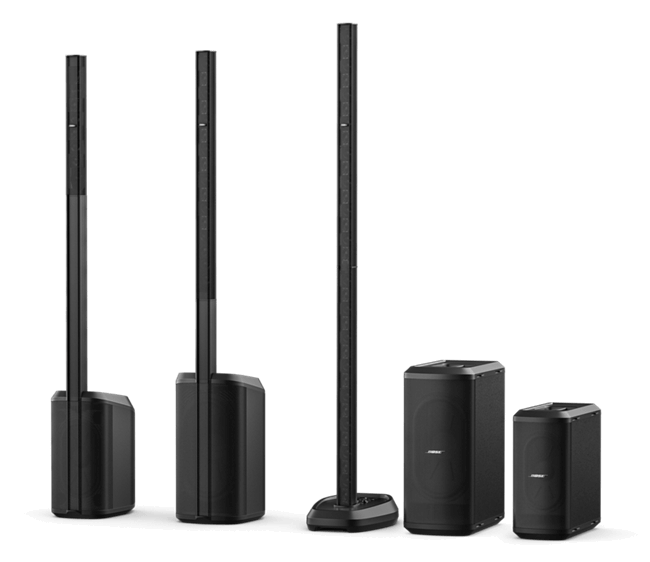
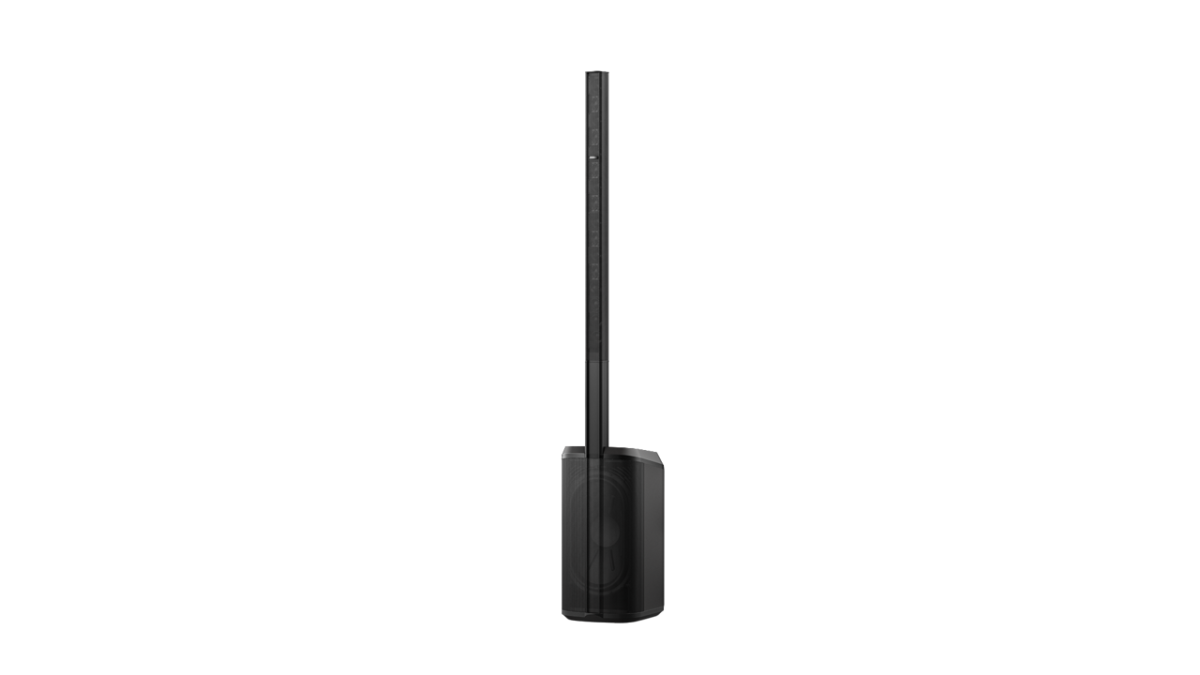
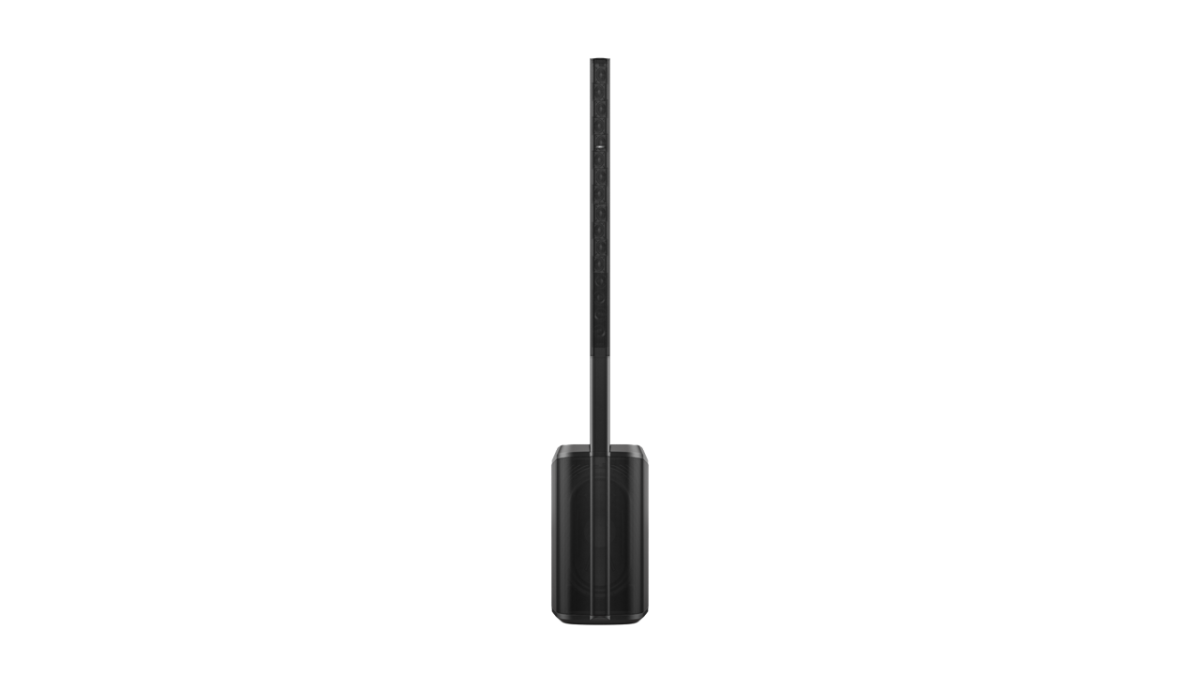
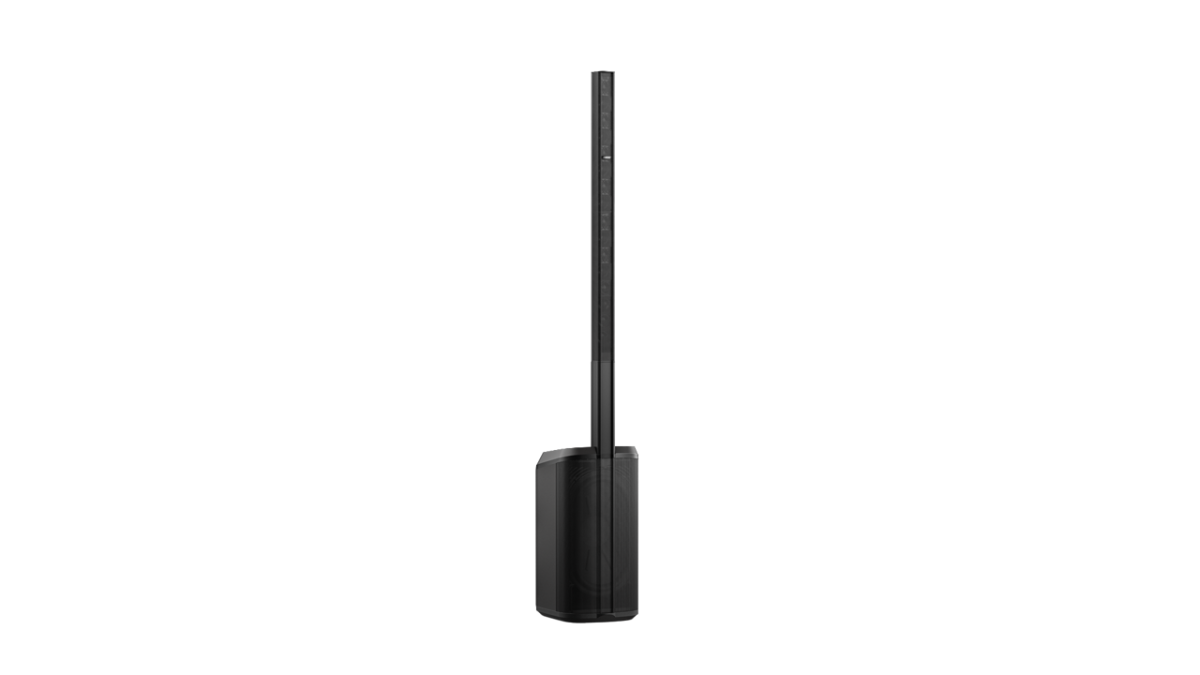
Bose L1 Pro16 Portable Professional Sound System

The ultra-portable line array from Bose Professional.  The perfect upgrade from the L1 Model II or L1s.

Description

Bose L1 Pro16 New Zealand

  • Comparing to legacy L1 systems?  Similar to original L1 Model 1s or L1 Model II
  • Ultra-portable, lightweight, and the powerful, clear sound you’d expect from Bose Professional.
  • Easier to transport than the original L1 systems as the subwoofer is built into the power stand base.

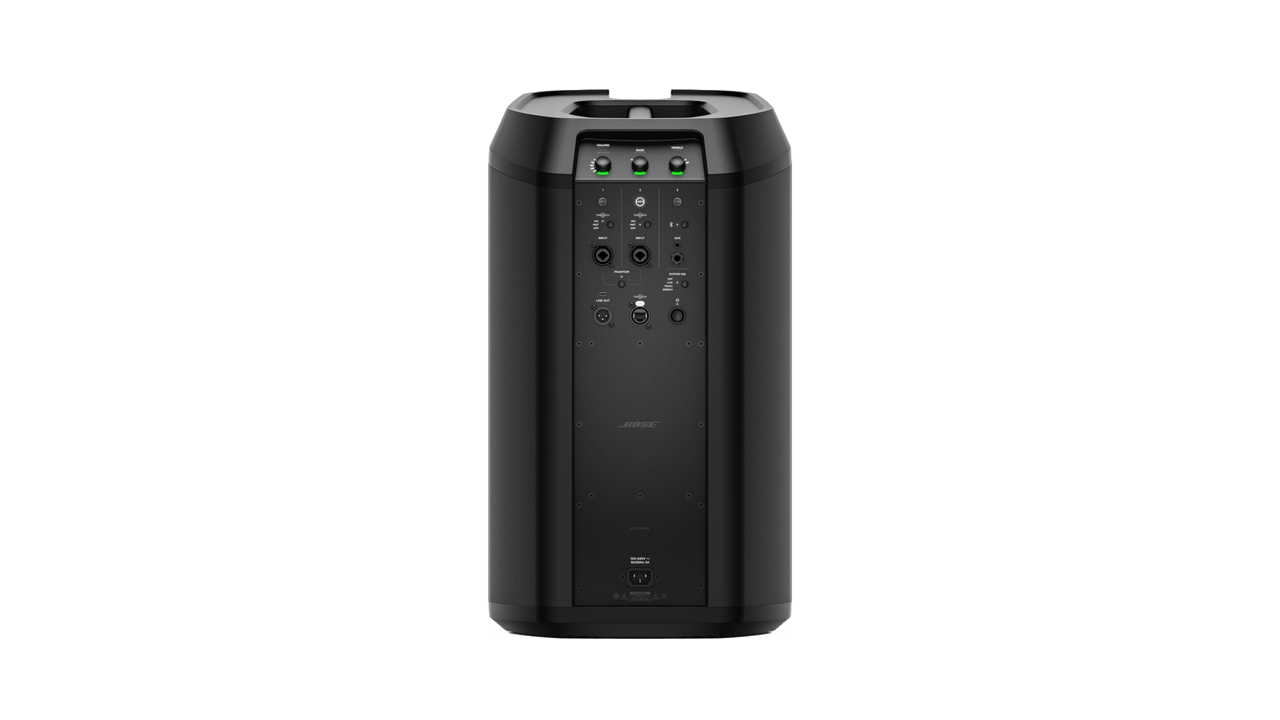
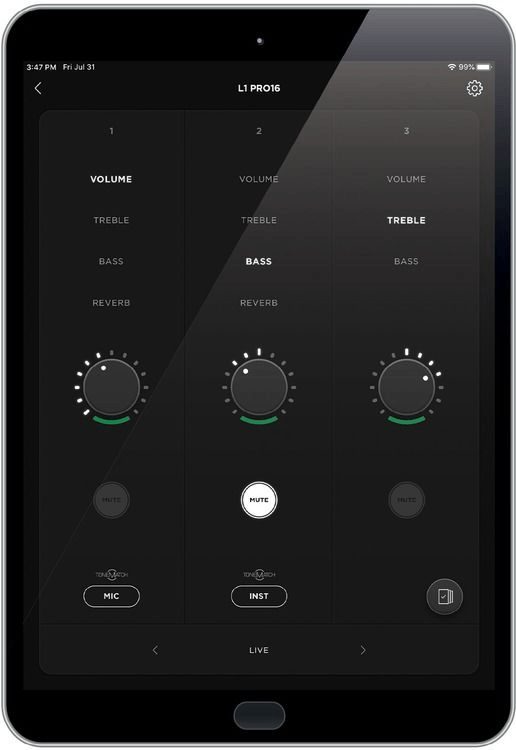
The Bose L1 Pro16 is so powerful, yet incredibly easy to transport and set up.  The built-in 3 channel mixer means that a small band, solo musicians, DJs, even wedding ceremony venues can plug in and run everything they need without the need for an external mixer. It is so compact it can be carted around in two parts, and sets up in 60 seconds.  Grab the official Pro16 Rollerbag and you can pull two complete systems into your venue in one trip so easily! But of course, the incredibly wide one-of-a-kind dispersion from the Pro16 means you’ll rarely need more than one.  Set up your L1 Pro16 in a corner or at the short wall end of a long venue and fill most rooms with just “one stick”. You can connect via Bluetooth as well, or add the Sub1, Sub2, or pairs of either in cardioid mode for even more bass in the place.

Best price in New Zealand!  Contact me for the best price match!

L1 Pro16 Bose NZ

System Features:
  • All-in-one mixer, PA system, and stage monitoring system
  • Bose line array technology delivers sound evenly across the stage and throughout the audience
  • 16 2-inch neodymium drivers and integrated subwoofer with high-excursion Racetrack driver
  • 2 ToneMatch channels with fixed presets for a vocal microphone and an acoustic guitar
  • Integrated subwoofer with high-excursion neodymium Racetrack driver
  • 2 setup positions: collapsed for smaller spaces or extended for larger ones
  • Ideal for musical performances, mobile DJs, classrooms, business presentations, and other events
  • Use with the free Bose L1 Pro Mix App for wireless control from iOS or Android devices
Tech Specs

Speaker Drivers: 10″ x 18″ (racetrack sub), 16 x 2″ (array) Total Power: 250W Class D (array), 1000W (sub) Number of Mixer Channels: 3  – 2 x Combo XLR-1/4″ 3-Pin Female Balanced Mic/Line/Hi-Z Input  – 1 x 1/8″ / 3.5 mm TRS Female Unbalanced Line Input  – 1 x 1/4″ TRS Female Unbalanced Line Input  – 1 x XLR 3-Pin Male Balanced Line Output Phantom Power: Yes EQ: 2-band EQ Inputs: 2 x XLR-1/4″ combo, 1 x 1/8″ (aux), 1 x 1/4″ Outputs: 1 x XLR (DI) Bluetooth: Yes Other I/O: ToneMatch cable Frequency Response: 42Hz-18khz Software: Bose L1 Mix app Power Source: Standard IEC AC power cable Height: 201.2cm Width: 45.7cm Depth: 35.6 cm Weight: 24.9 kg https://youtu.be/q1IgaN–LHY

  • The original T1 Tonematch mixer will need an audio cable (two if connecting two L1 Pro systems in stereo or dual mono), and an ethernet cable (or Tonematch power supply).

    Important: The L1 Pro8, Pro16, or Pro32 can power the T1 Tonematch mixer via the ethernet cable, but won’t do audio.  Unlike the much older L1 Model II or L1s, there is no audio transferred via this ethernet connection.

    1. Power up your T1 via the Tonematch power supply, or an ethernet cable connected to the L1 Pro Tonematch port
    2. Run a 6.3mm TRS (stereo) cable from the T1 master out, into Ch3 on the L1 Pro.

    If you want to run a pair of L1 Pro from the T4s, you’ll need to run an audio cable (TRS 6.3mm or “quarter inch” jack) from the AUX out of the T1 to your 2nd L1 Pro or S1 Pro+.

    Read the full article at the Bose Portable PA Encyclopedia FAQ and Wiki

  • The Bose L1 Pro range initially consists of three to four systems, depending on the subwoofer configuration.

    Scroll down for a detailed comparison chart.

    Here are the key differences at a glance:


    Pro8

    Volume: 112 dB (cont.) 118 dB (peak)
    Power: 60w main system, 240w subwoofer
    Low frequency: 45Hz
    Weight: 18kg

    Pro32 with Sub1

    Volume: 117 dB (cont.) 123 dB (peak)
    Power: 480w main system, 480w subwoofer
    Low frequency: 40Hz
    Weight: 13kg (base and array) + 16.1kg (Sub1)

    Pro16

    Volume: 118 dB (cont.) 124 dB (peak)
    Power: 250w main system, 1000w subwoofer
    Low frequency: 42Hz
    Weight: 24.8kg

    Pro32 with Sub2

    Volume: 122 dB (cont.) 128 dB (peak)
    Power: 480w main system, 480w subwoofer
    Low frequency: 37Hz
    Weight: 13kg (base and array) + 23.4kg (Sub2)

  • Yes!

    The F1 subwoofer is a stand-alone active subwoofer with multiple inputs and outputs.

    Connect your source to the F1 subwoofer line-in, then run the line-out from the subwoofer to your L1 Pro8 (overkill, but what fun!), Pro16, or Pro32 which each have multiple input options.

    Alternatively, the Pro8, Pro16 and Pro32 each have line outputs, so you can connect that directly to the F1 subwoofer input.

  • The simple answer: YES.

    How?  I recommend running into the sub then out to the Pro8 or Pro16 (or any other active speaker, to be honest).

    1. Connect your source (DJ controller, mixer, etc) to the Sub1/Sub2 via the line input 1 and/or 2.
    2. Connect XLR from line out 1 and/or 2, to jack (6.3mm) line input.

    The Sub1/Sub2 Level Control does not affect the Line Outputs.  The advantage here is you can adjust the subwoofer volume without affecting the rest of the system.

    A real-world use for this might be during the earlier part of a wedding reception, you can have the sub turned down to almost zero, leaving the Pro8 or Pro16 to do all the work (dinner music, speeches etc).  Then as your party picks up, you can turn the sub up through the night for extra “kick” when required.

    Be aware – the Sub2 (and to a lesser degree the SUb1) can easily overpower the Pro16 and definitely the Pro8.  


  • Yes, stereo is definitely an option.

    With the older L1 Model 1s and Model II, running in stereo was a lot more challenging than traditional powered speakers.  The only simple mixer option made for the Bose L1 at the time was the T1 Tonematch mixer.  It was mono, but to run that in stereo was a real mission requiring you to adjust settings, send a signal to the AUX out independently of the MASTER out.

    With the introduction of the T4s and T8s digital mixers which have dual MASTER out (or – left and right, stereo), suddenly stereo became a lot easier.

    But do you really NEED to run in stereo?

    The downsides to running “stereo” as a DJ or band

    1. Unless they’re in the “sweet spot”, your audience won’t get stereo. If they’re not dead centre of the dancefloor, they’ll get predominantly more of either the left or right channel.  They probably won’t notice.
    2. You can get bass cancellation if the subwoofers are too close together.
    3. You will get cancellation (particularly less bass) if the L1 speakers are too close together if you end up running “dual mono”, ie exactly the same signal on both speakers. Bose recommends spacing the two speakers 6 metres apart.
    4. Even in stereo, you’d want to try to put the subwoofers together to avoid cancellation.


    I’ve been using the Bose L1 systems since 2007.  Be it a Compact, a Model 1, L1 Model II, or the 1s, and now the Pro8, Pro16 and Pro 32.  I’ve only needed a pair on less half a dozen occasions.  Unless it’s a massive room or huge crowd, the long throw and wide dispersion of of the L1 system means two “sticks” really is often just overcomplicating matters with no real advantage, certainly none that the client/audience will ever notice.


    Nick Logan – Corporate and wedding DJ 


    Running in stereo is probably a lot easier now with the new L1 Pro series, you can use them with or without the Tonematch mixer.

    Or you can set up wireless streaming via Bluetooth to a single or pair of L1 Pro or S1 Pro+ in mono or stereo.  Read the guide here.

  • YES!  The Bose L1 Pro range has a subwoofer.  Depending on which model, the subwoofer is either built into the power stand, or a separate active sub (the Sub1 or Sub2).

    Take a look at the differences and what the unique subwoofer design looks like.  Read more here.


  • Even though each L1 has multiple little speakers inside, technically the L1 Pro is a single speaker system.  This means is can only ever be a mono speaker.

    But – what if you’re sending a stereo signal to it, or if you’re running two speakers?

    There’s quite a bit to this topic.  Read the simple breakdown explanation here.


  • How many watts is the Bose L1 Pro16?

    Simple answer: 1250 watts.

    But there’s more to it, of course.  Watts is only a measurement, a number that doesn’t really tell you what you need to know.

    Read the full article here about how loud the L1 Pro16 is and how big of a crowd it can be used for.

    If you’re sizing up a system for your venue or crowd size, talk to me and I’ll help you land on the Pro16 vs Pro32 call without the guesswork.

  • It’s possible to wirelessly stream to the Pro8, Pro16 or Pro32, or S1 Pro+ wirelessly via Bluetooth – either a single unit, a pair in stereo, or a combination of any two of the speakers.

    Download the Bose Music app available in the iOS Apple store for iPhone or iPad, or Google Play store for Android.

    From there, just follow the 5 step instructions here for connecting your L1 Pro or S1 Pro+ for mono or stereo wireless Bluetooth streaming.


  • If you want to connect your Tonematch T8s to the L1 Pro8, Pro16, or Pro32, you just need a couple of Ethernet cables.

    You can run a single L1 Pro in mono, or a pair of L1 Pro, S1 Pro or F1 812 in either stereo, or dual mono (daisy chain).


    Follow the simple guide here: Tonematch T8s to L1 Pro connection guide

    How do I connect the Tonematch T8s to L1 Pro16, Pro8 or Pro32?

  • You can use the ToneMatch T4s digital mixer with a stand-alone power supply and connect to any powered speaker system, not JUST the S1 Pro+ or any of the Bose Pro range.

    But utilising the included ToneMatch cable and connecting to an L1 Pro8, Pro16 or Pro32, you can power the T4s without a secondary power supply, and there’s no need for an audio cable between the L1 Pro and T4s either.

    Read the full step-by-step guide on how to connect your ToneMatch T4s mixer with the L1 Pro range in mono, dual mono, or stereo.